Tag Hierarchy
Concept
Cloud Ctrl does a great job of allowing you to view and report your cloud spend in the technical topology of cloud accounts, that is a hierarchy of Cloud Account > Subscription > Service or Product.
Often you need to see your cloud spend in a structure that better matches your business reporting requirements. The tag hierarchy allows you to specify an alternative structure for your spend in Cloud Ctrl based on a set of Tag keys.
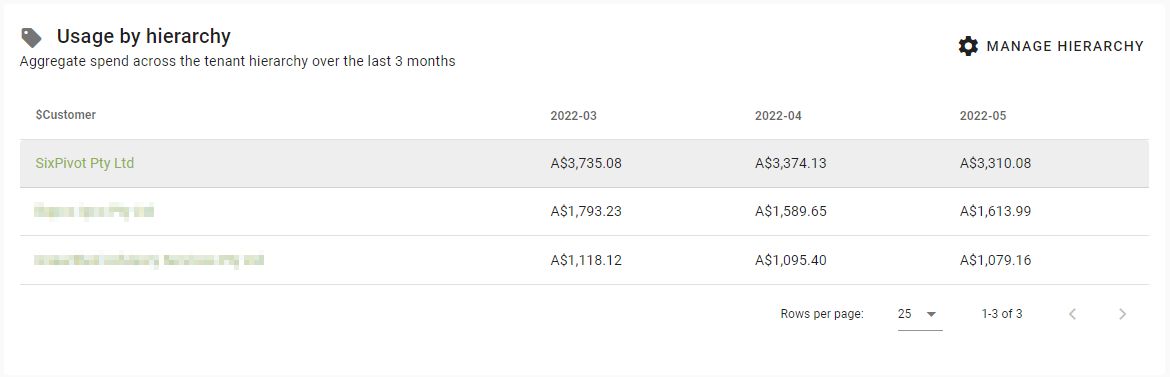
The values reported under the hierarchy are aggregated over all cloud account connections across all your vendors, making it easier to view spending trends the way you want.
The result of the tag hierarchy is visible as the Usage by Hierarchy view on the Finance Dashboard and via the tabs on the Cost Explorer.
Configuration
To setup the Tag keys you want to use for your tag hierarchy click the Manage Hierarchy button on the Finance Dashboard.
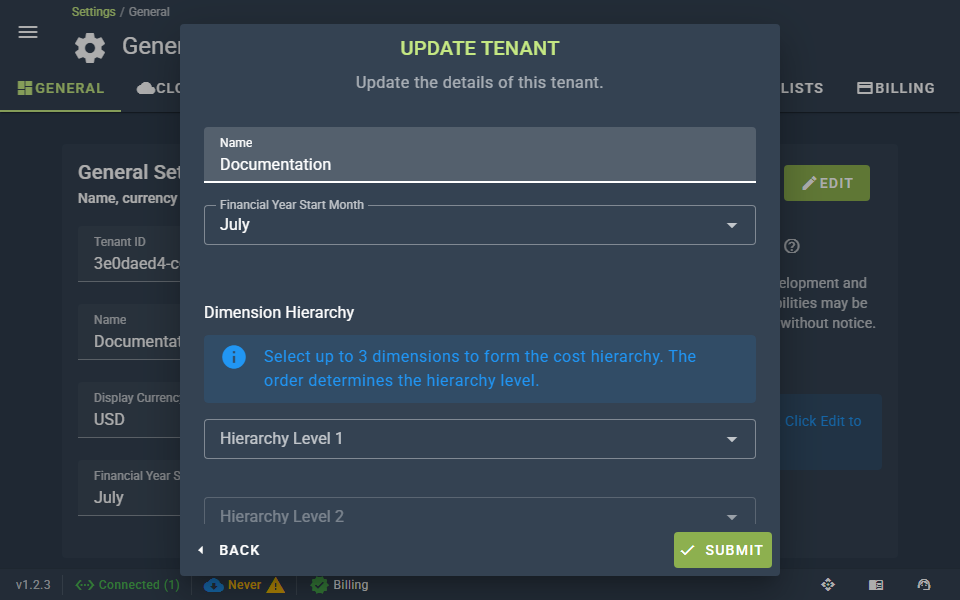
You just need to select the Tag keys you want to use for each level of the hierarchy and submit your changes. System Tags can also be used in the tag hierarchy.