Custom Usage
Overview
The custom usage feature enables you to bring any arbitrary usage data into Cloud Ctrl. This is currently only a feature for technical users as it requires direct API calls to work.
Concept
Cloud Ctrl works off a system we call internally the standard usage model. All usage is ingested into one core representation that abstracts away the nuances of the various platforms. This has been an important implementation detail to enable us to scale, but it also speeds up delivery of new integrations. This feature of the platform also allows us to accept Custom usage data from users directly.
Setup
The custom usage data feature is not enabled for all users. This is a only a feature accessible to users who have an Enterprise plan with Cloud Ctrl or have otherwise been granted access directly.
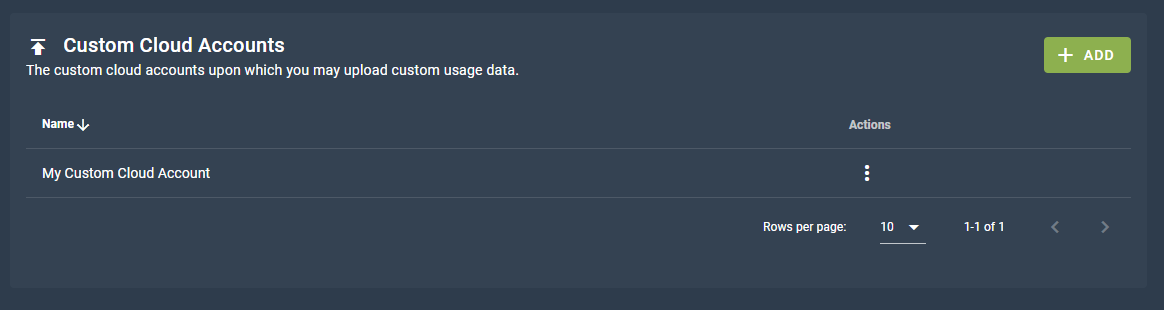
To begin uploading custom usage you need to create a new Custom Cloud Account. You can do this from Settings → Cloud Connections.
Click + Add Cloud Account and select the Custom account type. You will need to provide a name for Cloud Ctrl to use to refer to it.
API Pre-upload
Note
To access the Cloud Ctrl API you will first need to generate an API key.
Before we begin making calls to the API to upload usage we need two important IDs. One is the ID of the tenant you are currently viewing, and the other is the ID of the custom cloud account you have just created.
First you need to find your Tenant ID - you can do this by navigating to the settings screen and opening the "General" tab. You can copy your Tenant ID from this screen.
With the Tenant ID selected you can next call [GET] /api/metadata/cloudaccounts with the headers Api-Key: <YOUR API KEY> AND X-Tenant-Id: <TENANT ID>.
These values will never change, make note of them.
Schema
Before we get into the nuts and bolts of how to upload usage let's first talk about what fields make up the standard usage model.
| Field | Type | Required | Description |
|---|---|---|---|
| Charge Date | Date | Yes | A UTC date time that represents when the usage occurred. This must be in the format yyyy-MM-dd HH:mm:ss.ff, all other date formats will result in validation errors. |
| Currency | String | Yes | The 3 letter upper case currency code that the charge is denominated in. This could be AUD for Australian Dollars or USD for United States Dollars. Any currency that has an fx rate in Cloud Ctrl is supported. |
| Cost | Number | Yes | The charge cost attributed to this line of spend, denominated in the provided Currency. If the currency isn't the nominated display currency for the tenant it will be converted at time of ingestion. (Fx Rates are fixed month to month). |
| Source Cost | Number | No | Same as the charge cost, but instead a description of how much this line item cost the vendor to produce. Effectively COGs for cloud. This is mostly useful for resellers, but may be useful for custom usage uploads for calculating margins. |
| Unit | String | Yes | The unit of measure for the productive unit of consumption being costed. For example, if the thing being charged was "GBs stored in database" the unit would be "GBs". |
| Units Consumed | Number | Yes | The total consumption that was measured for this line item. For example in the GBs example, if this was 1000 it would indicate that 1000 GBs were stored. |
| Meter ID / Name | String | Yes | A meter in Cloud Ctrl is the full description of the productive enterprise performed by some resource. For example, you might have two different Meters "GBs stored in database" and "GBs sent over the network". In both cases the Unit would be "GBs" but the Meter would be distinct. In Azure there is a specific Meter concept and in AWS the various billed API calls are the meters. |
| Service ID / Name | String | Yes | A service is a unique 'thing' that is being metered for spend. In Azure these are unique resources keyed by their ARM URL. In AWS these are also unique resources keyed by their ARN identifier. Services are distinct from Resources in the sense that they may be aggregations of resources in some circumstances. |
| Region Name | String | Yes | Regions are vendor specific locations, typically clusters of data centers. For the Custom Usage Cloud Accounts there's a whitelist of countries names that can be supplied. |
| Product Name | String | Yes | The product name is a description of the classification of the service. For example the service might be an S3 Bucket, in which case the Product would be S3. As the integrator though you can choose this to be anything. |
| Tags | Dictionary | No | A list of key-value pairs representing the tags for this line item.Tag Keys must be unique (i.e. there cannot be multiple values for the same tag key). Tag Keys are case insensitive. |
| Metadata | Dictionary | No | Metadata can be supplied to publish factoids about the line item. For example you might want to indicate what tier a VM is (e.g. "VMTier:S1"). This is especially useful for the Actions feature, whereupon you might add tags or change prices dynamically based on these metadata factoids. |
| Price Channels | Dictionary | No | Price Channels can be used to indicate alternative prices for the line item. For instance, the core charge might be $10 but the RRP price might've been $12 instead. So you can indicate this through "RRP:12.00". |
| Service Types | Array | No | An array of strings containing a list of well-known types for the line item. Unless explicitly instructed this won't be necessary to use, it is used in some edge cases to indicate to the usage ingestion process that a service is an Reservation for instance. |
Types
The usage files themselves are supplied as CSVs. In the above break down there were mentions of the types to be provided. The following are the requirements for the various types within the CSV fields:
- Date: Dates must be in the form
yyyy-MM-dd HH:mm:ss.ff. All dates are assumed UTC. - String: String values that are required have a maximum character length of 256.
- Number: Numbers can be in integer or decimal form. If in decimal form the precision can be 28 decimal places.
- Array: As there is no array concept native to CSVs we had to engineer our own. The delimiter for Array values is the
|character. As of writing there is no way to escape this in the standard so be careful about your inputs. The end result isA|B|Cwould be an array of 3 values, A, B and C. - Key-Value Pair: There is also no native CSV Key Value Pair concept. A key value pair in the usage upload CSV is delimited by the
:character. Again there is no way to escape this character in the standard so be careful about inputs. If multiple:s are found, only the first is used as the key, and the value is an aggregation of the rest. The end result isA:B:Cbecomes a Key-Value Pair where the Key isAand the Value isB:C. - Dictionary: A Dictionary is an Array of Key-Value Pairs. So for instance the value:
A:B|C:Dwould be a dictionary A=B and C=D.
API Upload
With that out of the way, at this stage you should have:
- an API Key
- a Tenant ID
- and a Cloud Account ID
There are two primary calls necessary to enable the custom usage flow.
[POST] /api/metadata/cloudaccounts/{cloudAccountId}/usage/{year}/{month}
[Headers] X-Tenant-Id: <TenantId>, Api-Key: <ApiKey>
[Body] None
Which returns the following JSON result:
{ uploadId:string, uploadContainerUrl:string }
The uploadContainerUrl is a SAS URL for a full container created in Azure just for this upload. You then need to upload a series of blobs to this container that have the usage records and subscription information.
Firstly a manifest.json needs to be uploaded into the root of this container. The manifest schema is as follows (in Typescript parlance):
interface Subscription {
    remoteId:string;
    name:string;
    offerId:string | null;
    domain:string | null;
    partPaths:{ [partKey:string]: string };
}

interface Manifest {
    month:number;
    year:number;
    subscriptions:Subscription[];
}
Sample Usage File
The following is a sample .csv file for the usage upload process. In this example imagine you are a cloud reseller offering your own custom metered product. The customer name is MyCustomer. The customer stored 20 GBs of data in some product you offer called "BlockStore". The unit is GB because that's the unit of measure. The SourceCost was 0.1 AUD because that was the purchase price for you (maybe you bought it from another company at that price, maybe you worked out that's how much the storage devices cost amortized out). The Cost is 0.2 AUD because you charge a 100% markup! But they're getting a great deal because the RRP price is actually 0.3 AUD. Whatever productive thing this BlockStore service does, it was done in Australia. You've also tagged this service as being a Production resource. In the metadata you indicated the Tier and who created the resource.
ChargeDate,SourceCost,Cost,PriceChannels,Currency,Unit,UnitsConsumed,MeterId,MeterName,ServiceId,ServiceName,ServiceTypes,RegionName,ImportId,ProductName,Tags,ResourceName,MetaData
2022-05-01 00:00:00.00,0.1,0.2,RRP:0.3,AUD,GB,20,blockstore-gbs,BlockStore GBs Stored,block-ABC,ABC Block,,Australia,734dd146-9d82-5436-958c-c5af9dab1cc4,BlockStore,Environment:Production|Customer:MyCustomer,block-ABC,Tier:S1|CreatedBy:someone@email.com
Example Implementation
Please contact support for access to a sample C# implementation, or if you have questions about integration generally.