Import Usage Transformations
Concept
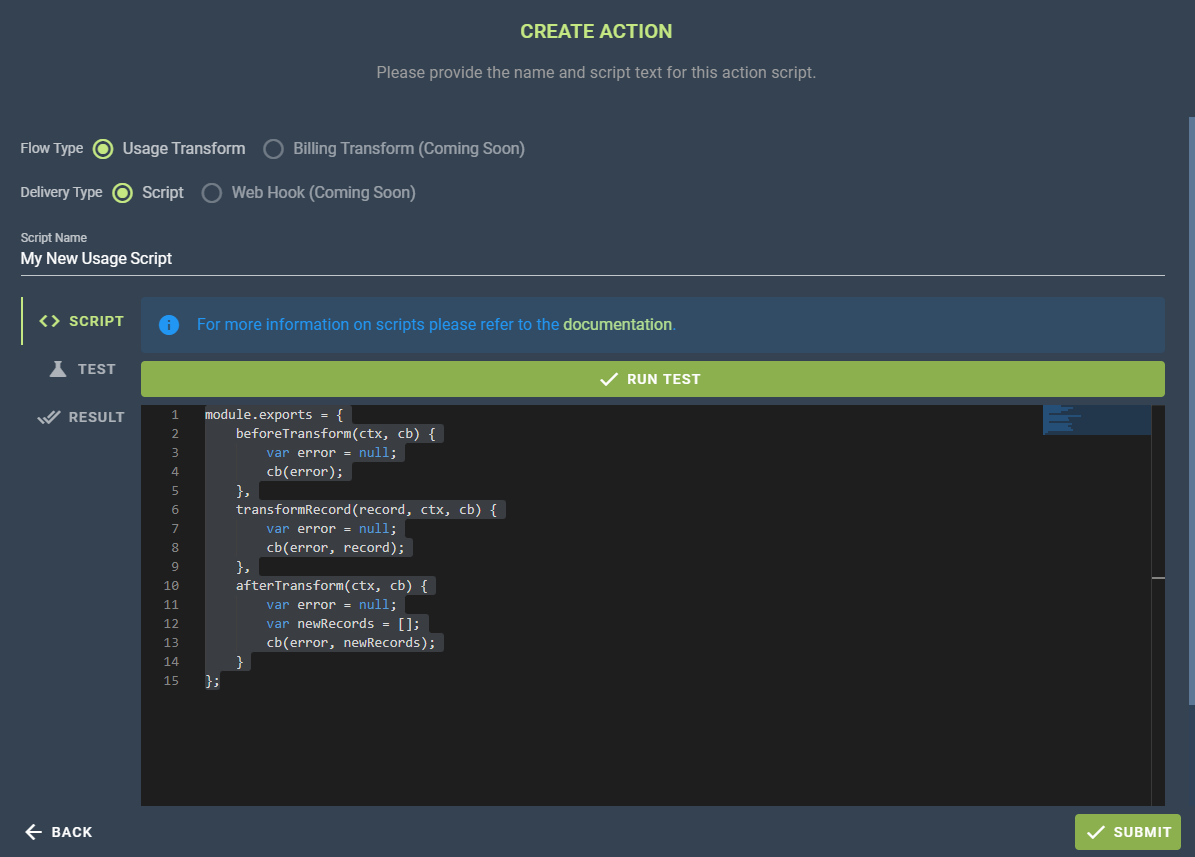
As described in this article, actions enable Cloud Ctrl users to bring custom functionality. In the case of actions with a flow type ImportUsageTransform this means manipulating inbound usage at some point in the pipeline.
At time of writing this is either transforming usage as it's received from a cloud vendor, or transforming before it is received by the target of a cloud account usage share.
Configuration
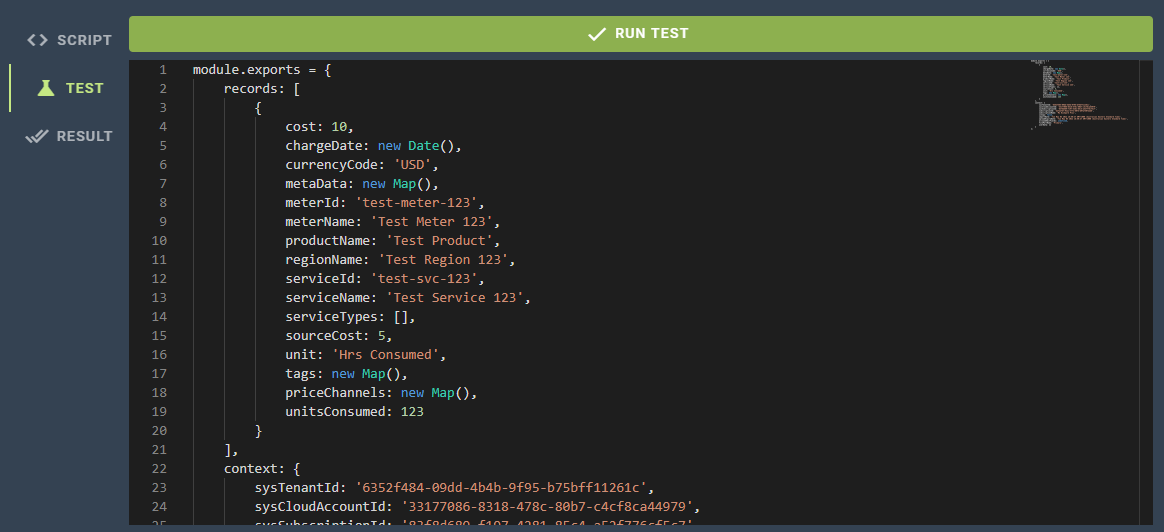
Usage transform actions are responsible for transforming usage. To understand what that might entail let's first look at the schema of a usage record.
| Field | Type | Required | Description |
|---|---|---|---|
| chargeDate | Date | Yes | A UTC date time that represents when the usage occurred. |
| currencyCode | String | Yes | The 3 letter upper case currency code that the charge is denominated in. This could be AUD for Australian Dollars or USD for United States Dollars. Any currency that has an fx rate in Cloud Ctrl is supported. |
| cost | Number | Yes | The charge cost attributed to this line of spend, denominated in the provided Currency. If the currency isn't the nominated display currency for the tenant it will be converted at time of ingestion. (Fx Rates are fixed month to month). |
| sourceCost | Number | No | Same as the charge cost, but instead a description of how much this line item cost the vendor to produce. Effectively COGs for cloud. This is mostly useful for resellers, but may be useful for custom usage uploads for calculating margins. |
| unit | String | Yes | The unit of measure for the productive unit of consumption being costed. For example, if the thing being charged was "GBs stored in database" the unit would be "GBs". |
| unitsConsumed | Number | Yes | The total consumption that was measured for this line item. For example in the GBs example, if this was 1000 it would indicate that 1000 GBs were stored. |
| meterId/Name | String | Yes | A meter in Cloud Ctrl is the full description of the productive enterprise performed by some resource. For example, you might have two different Meters "GBs stored in database" and "GBs sent over the network". In both cases the Unit would be "GBs" but the Meter would be distinct. In Azure there is a specific Meter concept and in AWS the various billed API calls are the meters. |
| serviceId/Name | String | Yes | A service is a unique 'thing' that is being metered for spend. In Azure these are unique resources keyed by their ARM URL. In AWS these are also unique resources keyed by their ARN identifier. Services are distinct from Resources in the sense that they may be aggregations of resources in some circumstances. |
| regionName | String | Yes | Regions are vendor specific locations, typically clusters of data centers. For the Custom Usage Cloud Accounts there's a whitelist of countries names that can be supplied. |
| productName | String | Yes | The product name is a description of the classification of the service. For example the service might be an S3 Bucket, in which case the Product would be S3. As the integrator though you can choose this to be anything. |
| tags | Map | No | A list of key-value pairs representing the tags for this line item.Tag Keys must be unique (i.e. there cannot be multiple values for the same tag key). Tag Keys are case insensitive. |
| metadata | Map | No | Metadata can be supplied to publish factoids about the line item. For example you might want to indicate what tier a VM is (e.g. "VMTier:S1"). This is especially useful for the Actions feature, whereupon you might add tags or change prices dynamically based on these metadata factoids. |
| priceChannels | Map | No | Price Channels can be used to indicate alternative prices for the line item. For instance, the core charge might be $10 but the RRP price might've been $12 instead. So you can indicate this through "RRP:12.00". |
| serviceTypes | Array | No | An array of strings containing a list of well-known types for the line item. Unless explicitly instructed this won't be necessary to use, it is used in some edge cases to indicate to the usage ingestion process that a service is an Reservation for instance. |
Function: beforeTransformation
The before transformation function executes once before the usage transformation begins. In this pre-processing function you can initiate any data you might need during the transformation process. The ctx parameter includes a userData field which can be changed in any way. For example, if we wanted to count how many VMs were picked up in the usage data, we could initialize vmCount like so.
beforeTransform(ctx, cb) {
    var error = null;
    ctx.vmCount = 0;
    cb(error);
},
Note that we have to call the cb function to complete this call. This callback receives a nullable error parameter. If this error parameter is not null the usage process will stop immediately.
Function: transformRecord
This is the guts of the usage transformation. The transformRecord function is executed on one usage record after the other until the entire set of imported usage is processed. By default the transformRecord will be the following when created:
transformRecord(record, ctx, cb) {
    var error = null;
    cb(error, record);
},
The cb callback function accepts a nullable error parameter like the previouos beforeTransformation function but it also accepts a record. The transformation occurs by manipulating the record in some fashion. For example if we wanted to add a Environment:Production tag if the service name starts with "prd-" we could execute the following:
transformRecord(record, ctx, cb) {
    var error = null;
    if (record.serviceName.startsWith("prd-")) {
        record.tags.set('Environment', 'Production');
    }
    cb(error, record);
},
We can also update the ctx context parameter which gets passed down to every function call throughout the transformation process. In the previous example we initialized vmCount to 0, so let's increment that if the usage record is a VM.
transformRecord(record, ctx, cb) {
    var error = null;
    if (record.serviceName.startsWith("prd-")) {
        record.tags.set('Environment', 'Production');
    }
    if (record.productName.endsWith(" VM")) {
        ctx.userData.vmCount++;
    }
    cb(error, record);
},
Function: afterTransform
Finally once the usage transformation has been run in full we call the afterTransform function once to perform some post processing. The cb function accepts a nullable error like the other, but it also accepts a list of newRecords. When you add usage records into this list they will be added to the total records for the process. This is the default function when you create a usage transformation action:
afterTransform(ctx, cb) {
    var error = null;
    var newRecords = [];
    cb(error, newRecords);
}
To keep in line with the samples from earlier, let's imagine that we want to charge a customer some service fee if they have a sufficiently high number of VMs (e.g. if they have 5 VMs we charge them).
afterTransform(ctx, cb) {
    var error = null;
    var newRecords = [];
    if (ctx.userData.vmCount >= 5) {
        newRecords.push({
            cost: 10,
            chargeDate: new Date(ctx.year, ctx.month, 1, 0, 0, 0),
            currencyCode: 'USD',
            unit: 'Hrs',
            unitsConsumed: 1
            meterId: 'vm-mgmt-fee',
            meterName: 'VM Support Hours',
            productName: 'Support',
            regionName: 'Australia',
            serviceId: 'vm-mgmt-service',
            serviceName: 'VM Support',
            serviceTypes: [],
            sourceCost: null,
            tags: new Map(),
            metaData: new Map(),
            priceChannels: new Map(),

        });
    }
    cb(error, newRecords);
}